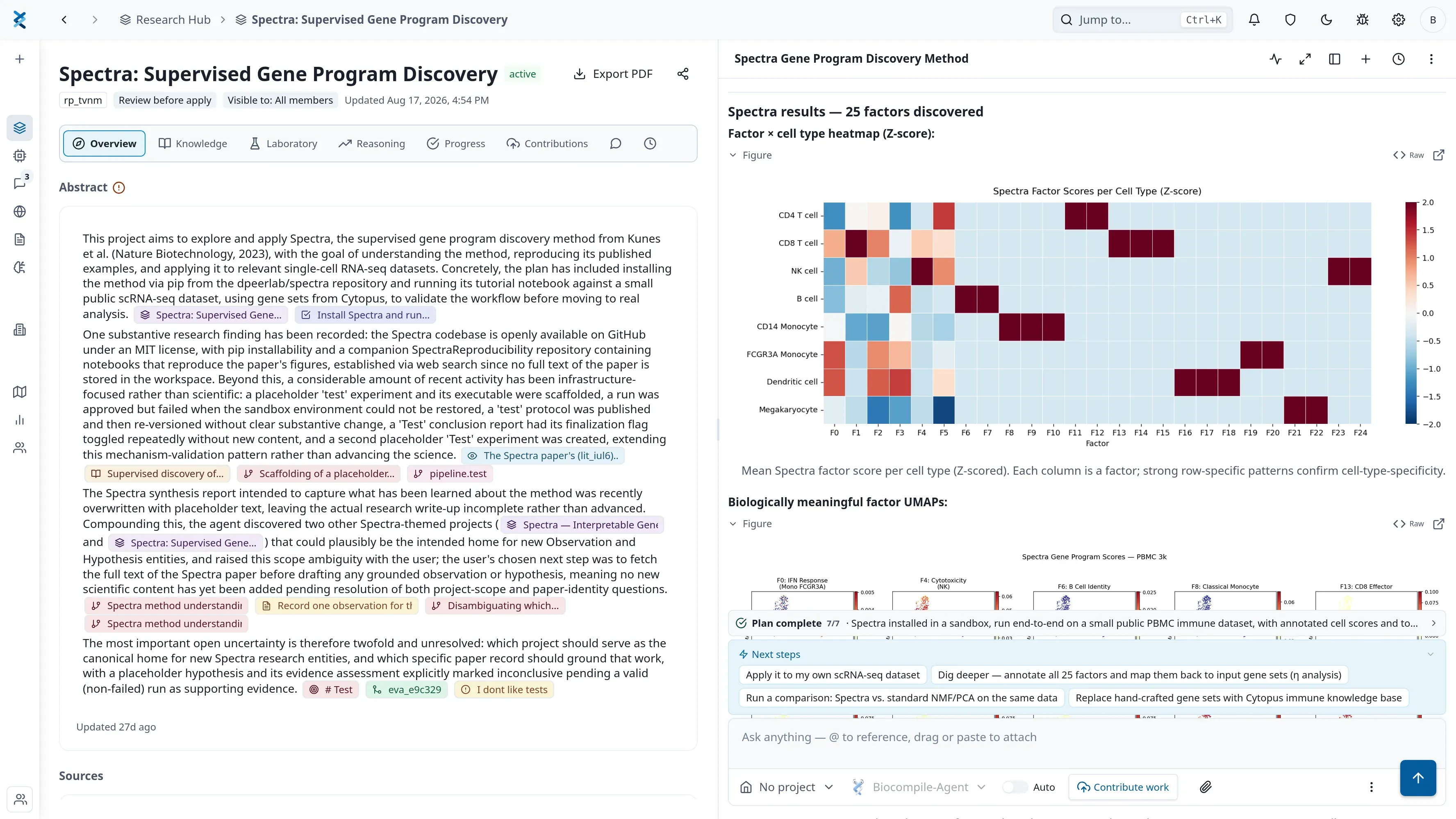
Upload your counts or results file to Biocompile and ask what you want to know in plain language. Biocompile writes and runs the analysis as real code in a private sandbox with Python, R and Bioconductor, and shows you the code and the plot it produced.
You have the data. The analysis is a queue away, and the queue is long.
What you do in Biocompile
- Upload the counts table, the results file, or whatever the instrument gave you.
- Ask the question the way you would ask a colleague. “Which genes are differentially expressed between the treated and control samples?”
- Biocompile writes the analysis, runs it in a private sandbox, and returns the output with the code visible.
- Ask for the figure. Publication-style plots come from the results you just produced.
What Biocompile runs under the hood
Biocompile preinstalls Python and R, with Bioconductor available for the standard genomics work. The sandbox is private to your project and hosted in the EU.
From the same place, Biocompile reaches more than twenty scientific databases, including UniProt, PDB, Ensembl, NCBI, Reactome, ChEMBL, gnomAD, ClinVar and GTEx. So a result can be annotated without leaving the project.
Why Biocompile leaves the code visible
A chatbot that describes an analysis and a system that runs one are different things, and the difference only shows up when the numbers matter.
Every analysis in Biocompile is real code executed on your real data. You can read it, correct it, hand it to a bioinformatician, or run it again in three months against the same files.
What you cannot do with a description is check it, and that is the part that matters when a result is going into a decision. The code is the record of what was done, and it is yours to disagree with.
Frequently asked questions
Do I need to know Python or R?
No. You describe what you want in plain language. The code is written for you, and it stays visible so you or a colleague can check it, change it, or reuse it later.
Where does my data go while the analysis runs?
Into a private sandbox hosted in the European Union. Files are encrypted at rest, and the region is enforced in our infrastructure rather than only in policy.
What file formats can I bring?
Result tables, CSV and Excel exports, sequence files, protocols and papers. There is no schema to fill in first. You upload the files you already have.
Can I trust the result?
Check it the way you would check a colleague's analysis. The code is shown alongside the output, so what produced the number is in front of you rather than hidden. That is the difference from pasting numbers into a chatbot, where nothing actually runs. It is not a promise that the analysis answered the question you meant: an assistant can choose the wrong test or misread a column, which is exactly why the code stays visible and why a result that matters should be read before it is used.
Upload your counts or results file to Biocompile and ask what you want to know in plain language. Biocompile writes and runs the analysis as real code in a private sandbox with Python, R and Bioconductor, and shows you the code and the plot it produced.
Start for freeNo payment method required.
- How do I search literature and patents in one place and keep the sources?Biocompile searches PubMed, arXiv, bioRxiv, OpenAlex and Semantic Scholar alongside patents filtered by classification, assignee and country. Every answer links back to the source it came from, and the papers you keep stay with the project you are working in.
- How do I find out what my team already tried before I run the experiment again?In Biocompile, decisions, dead ends and open questions are recorded on the project rather than in a chat log. You can search across every project your team has run, and see what was tried, why a condition was chosen, and what was already ruled out.